- Apr 3, 2020
- 1 min read
Updated: Jul 7, 2020
What is it
Samsung Dex is a new feature to some of the Samsung Phones, it offers a full desktop experience in Samsung's own Operating System. On Samsung Dex you can easily browse the internet and reply to your email using a keyboard.You are still able to use other Samsung applications which you may already have on your device like Netflix and you can also view your standard Samsung Galaxy Device on the screen.

How do I turn it on?
First you plug your Samsung device into a monitor/screen using the USB charger cable (provided in the box), then on your Samsung Device you can activate Samsung Dex on the notification tab. You can also a USB Type-C to HDMI to plug in your Samsung Device to a larger HD screen to view the Samsung Dex. (cable is not provided)

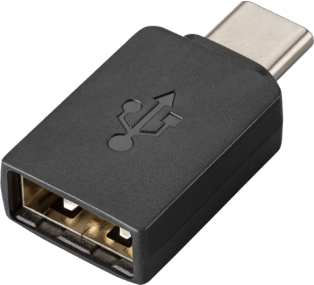
How to connect Keyboard or Mouse?
You can connect your mouse and keyboard using Bluetooth if your mouse and keyboard are Bluetooth. If your mouse and keyboard are not Bluetooth alternatively you could use a USB dongle to your Samsung device.
What Samsung Phone's are compatible with Samsung Dex?

What is the extra Samsung Dex Station?
The Dex Station add more productivity by giving access for lots of different ports such as option to plug an Ethernet cable, HDMI Cable, USB etc. Whilst in Dex mode the phone will also be charging. Buy the Samsung Dex Station at Amazon: https://amzn.to/2KWBWfk
Comments